
Build your call playbook
We configure your services, hours, coverage area, common questions, pricing language, safety rules and escalation contacts.
We configure an AI front desk for your overflow and after-hours calls: capture the request, offer approved calendar times, and send your team an email summary.
Call Ava on the clearly labelled demo lineFounding-stage pilot: no customer calls are forwarded until the business approves the tailored flow, safety rules and integrations in acceptance testing. Callers are clearly informed they are speaking with a virtual receptionist.
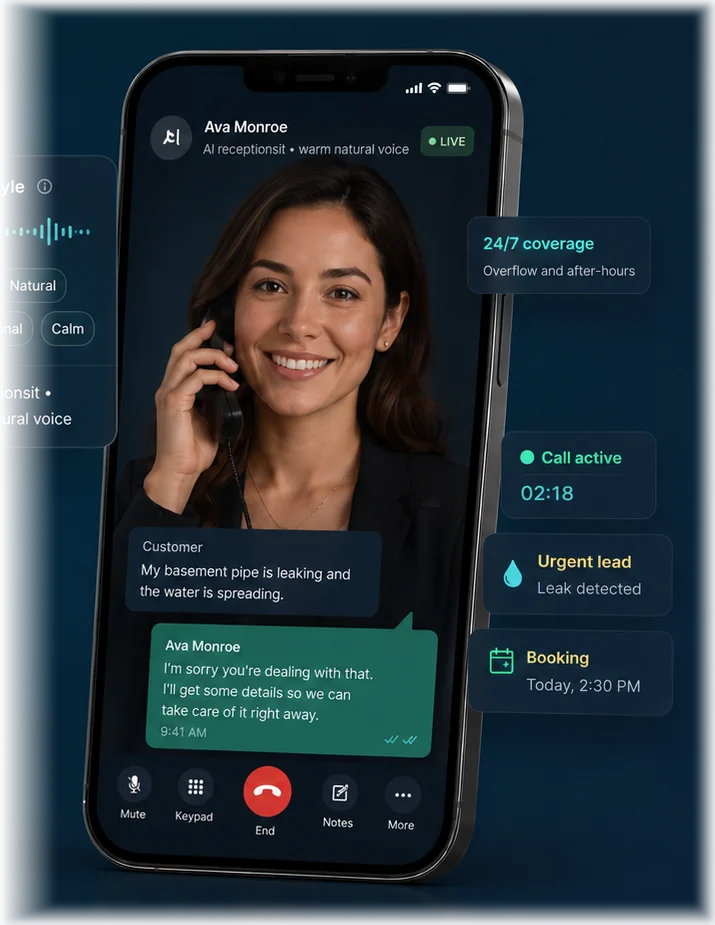
The example shows a caller choosing a time. In a configured pilot, Ava checks the connected calendar and confirms the booking only after the calendar accepts it.
Recorded illustration. Text messaging shown in the video is outside the founding pilot. Your call flow, calendar booking and post-call email summaries are configured and tested before customer calls are forwarded.
Customer: Hi there, can I book a service visit next week?
Ava: Absolutely, I can help with that. I have Thursday at two available. Would that work for you?
Customer: That's perfect!
Ava: Great, you're all set for Thursday at two.
You approve what Ava can answer, what she must collect, and when a person needs to take over.
We configure your services, hours, coverage area, common questions, pricing language, safety rules and escalation contacts.
Start with after-hours, overflow or unanswered calls while keeping the business number customers already know.
Your configured pilot captures leads, checks the approved service area, books available calendar times and sends post-call email summaries to your team.
Calls are summarized and reviewed so the experience gets shorter, clearer and more accurate over time.
A plumber, landscaper and HVAC company do not need the same questions. Each flow stays specific to the work.
Leaks, backups, no hot water, service-area checks, safety screening and appointment requests.
Explore plumbingCleanups, mowing, property details, photos, commercial leads and recurring service.
Explore landscapingNo heat or cooling, system details, maintenance, hazard screening and service windows.
Explore HVACPower loss, sparks, panels, outlets, lighting, estimates and urgent human routing.
Explore electricalLeaks, storm damage, inspections, repair requests, replacement estimates and photos.
Explore roofingCleaning, pest control, garage doors, appliance repair, locksmiths and other appointment-driven businesses.
Ask about your industryAva turns the conversation into the information the team needs to decide what happens next.
Hear industry voice examplesUsage limits and integrations are confirmed during setup. No “unlimited” promise before we know the real operating cost.
For straightforward answering, qualification and lead summaries.
For businesses that want scheduling and staff workflows.
Hear the call, inspect the booking workflow, review the resulting summary, and test one controlled call flow before making a longer commitment.
No. Ava is introduced as the company’s virtual receptionist. The goal is a natural, helpful conversation without misleading the caller.
Yes. A pilot can begin with call forwarding for after-hours, overflow or unanswered calls. The exact setup depends on the existing phone provider.
Yes, once an approved calendar or scheduling workflow is connected. She should only say an appointment is confirmed after the system confirms it.
The business approves clear escalation rules. Safety concerns, complaints, uncertain situations and requests for a person move to the designated human path.
Yes. Starting with one valuable flow—such as after-hours estimates or overflow calls—makes the pilot easier to measure and improve.
Tell us what happens when the phone rings, what customers usually ask, and what the ideal next step should be. We’ll review the workflow before asking for any payment.